Give a map pin a useful meaning
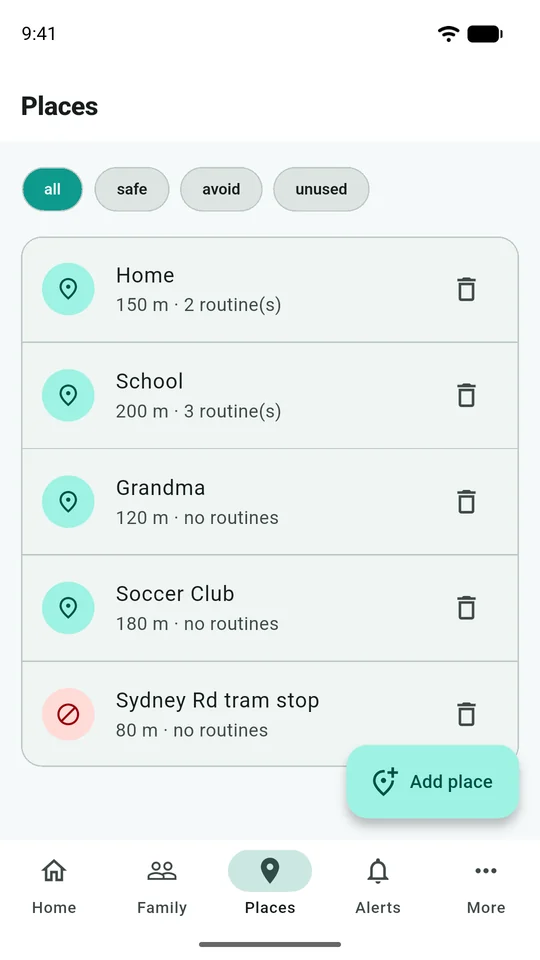
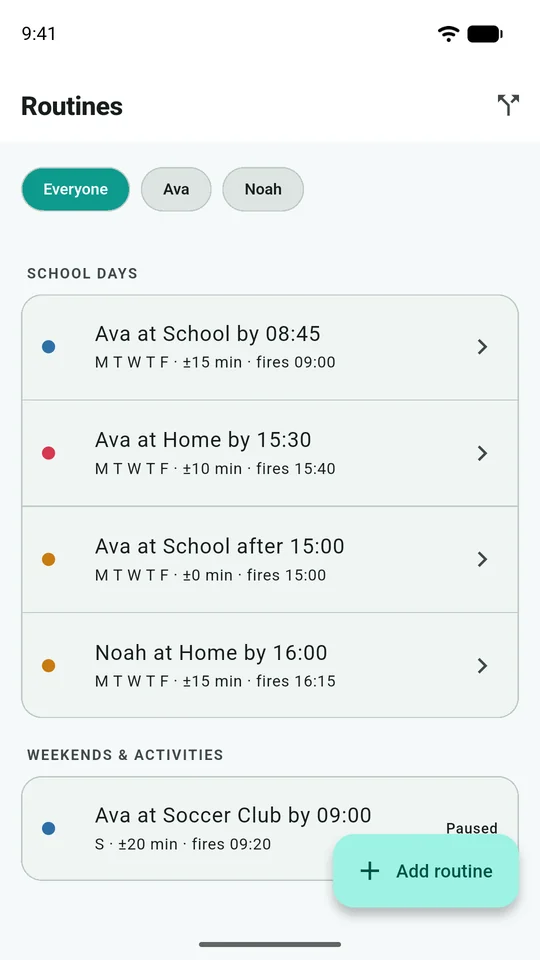
A saved Place describes an area, such as school, home or sports training. A Routine adds an expectation about time: for example, arriving at school on selected mornings. They answer different questions. A place can record an arrival without a timetable; a routine checks whether the expected event happened when you planned.
Start with one familiar destination rather than adding every possible stop. You will learn more from a week of useful alerts than from a long list nobody has checked. Your plan determines which limits and routine features are available.
1. Place the boundary around the actual destination
Open Places → Add place. Give the place an unmistakable name, search its address and check the pin on the map. You can move the pin by dragging it or tapping the map. An address result may point to a building entrance rather than the centre of a large site.
Adjust Radius so the boundary covers the relevant area. For a school, consider the classroom buildings, playground and ordinary entrance, rather than drawing a tiny circle around the front gate. Equally, a very large boundary might include the bus route or a nearby shopping strip.
There is no ideal radius for every location. GPS conditions and the shape of the site matter. Look at the boundary on the map, then compare ordinary journeys before deciding whether to enlarge or reduce it.
2. Use dwell time to distinguish arriving from passing
The place editor's Must stay inside for setting lets you require time inside the area before treating a visit as an arrival. This can help where a bus or tram passes the school without the child getting off.
Choose a value that matches the purpose. A longer dwell can reduce passing-traffic alerts, but it also delays the arrival event you want. For a brief pickup spot, a long dwell may miss the short visit altogether. Change one setting at a time so you can understand the effect.
Select the arrival and departure alerts that your family actually needs, then choose Save place. Avoid zones have a different purpose: review the Treat as an avoid zone explanation before using that option.
3. Add a routine with realistic timing
In Routines, add a routine and choose the child and saved place. Select Arrive by, Leave by or Leave after, the time and the days it repeats. Review Grace and the explanatory alert time shown in the editor.
For example, a fictional family expects a school arrival around 8:45 am but normal traffic varies. They choose a grace period that reflects their actual journey, rather than treating every small delay as a safety event. The right allowance depends on your family's arrangements; the app cannot decide when you personally need to make contact.
Check the chosen weekdays carefully. Review routines during school holidays, timetable changes and travel. Do not assume a holiday will be skipped automatically just because it appears on a calendar elsewhere.
4. Tune the cause of a false alert
If an alert seems wrong, first read the report time and the sequence of events. A delayed upload can be a different problem from a poorly placed boundary.
| What you notice | What to review first |
|---|---|
| Arrival when a bus only passed nearby | Boundary position, radius and dwell time |
| Repeated arrivals and departures while indoors | Boundary size and location accuracy |
| Regular late alerts for an ordinary journey | Routine time, selected days and grace |
| No fresh reports from the phone | Connectivity and background-location permissions |
Use the location accuracy guide before drawing conclusions from a single pin. If needed, follow the Android or iPhone checklist.
Keep a human plan alongside the routine
Agree what a missed arrival means in your household: who contacts the child, which adult checks the usual destination and when you use another contact method. An alert is a prompt to assess the situation. It cannot establish that somebody is safe or in danger, and the absence of an alert is not a guarantee that the journey went as expected.